Here’s a concise user-facing scenario you can use in training material or post near the controller.
Scenario: You Try to Set the XY Origin and Get an Error
You have positioned the router bit over the point on your material that you want to use as the XY origin.
You try to set the XY origin, but the B58 controller displays an error and will not let you set it.
What happened?
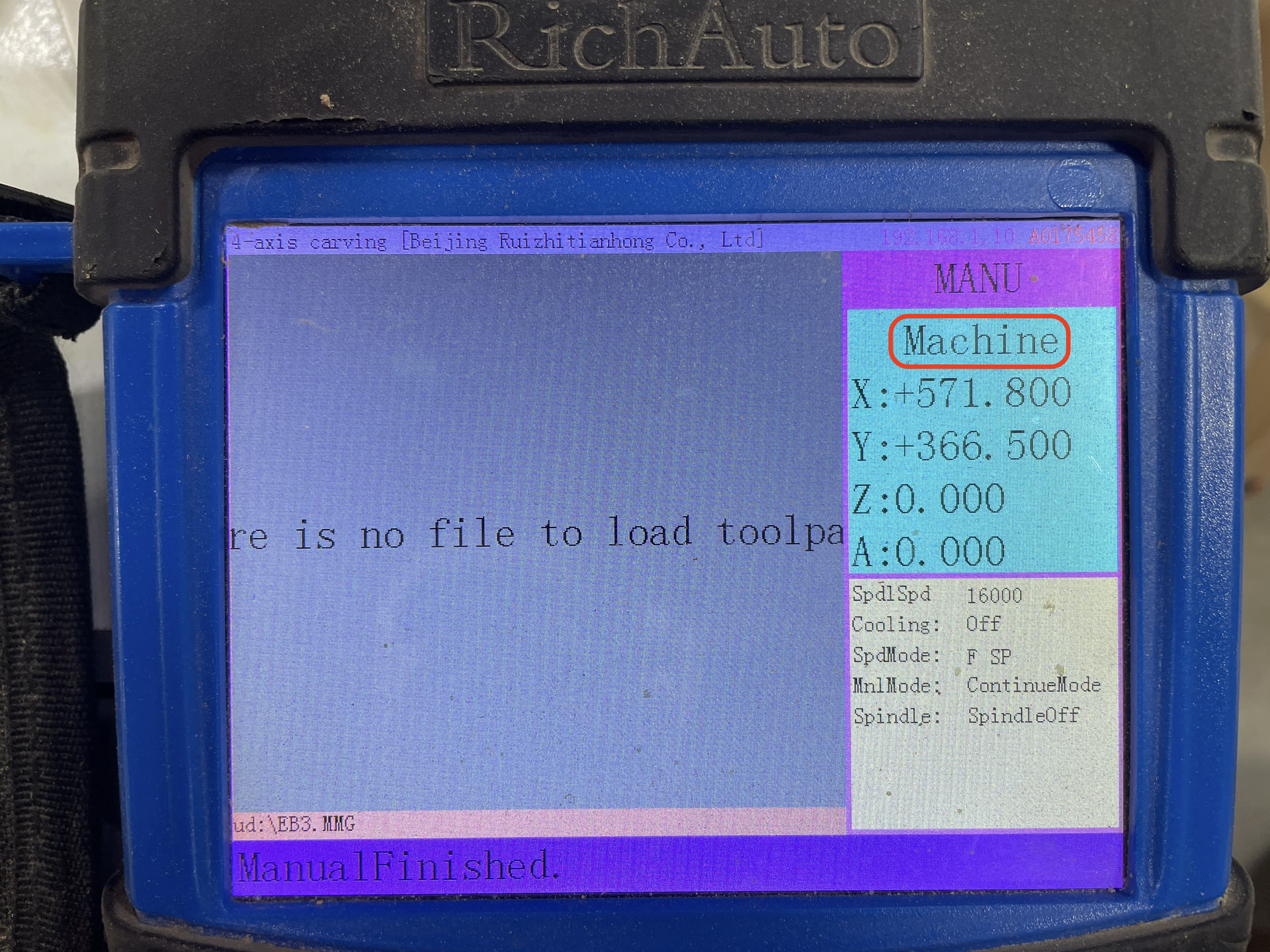
The controller is probably in Machine Coordinates instead of Workspace Coordinates.
Look at the top of the B58 screen.
If it says:
Machine
you are viewing the machine’s fixed coordinate system. You cannot set your job’s XY origin while in Machine Coordinates.
What to do
Press:
MENU + 1
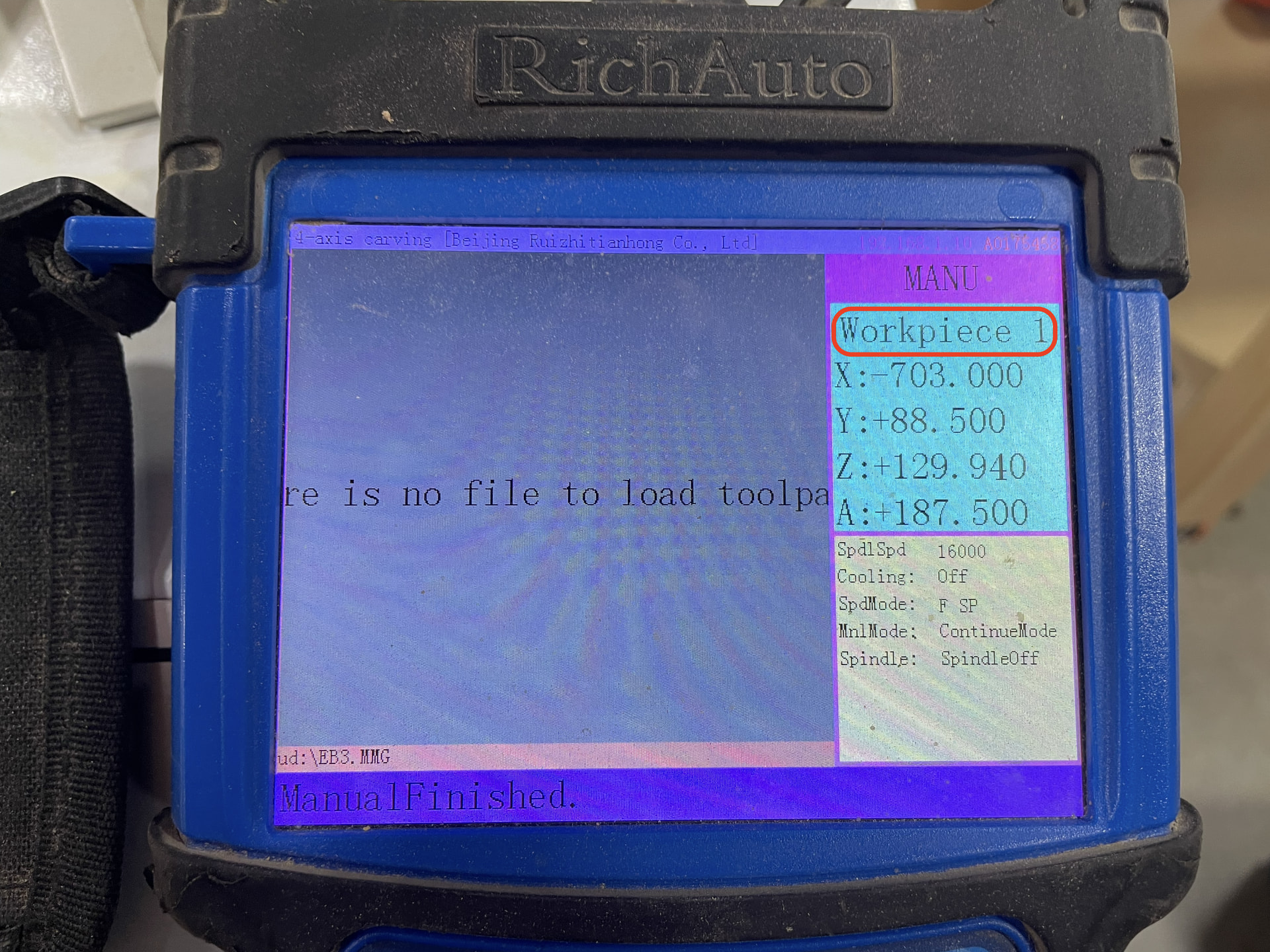
This changes the controller to Workspace 1 Coordinates.
Look again at the top of the screen and verify that it now says:
Workspace 1
You can now position the router bit where you want the job origin and set the XY origin normally.
Remember
If Set XY Origin gives you an error, check the top of the screen.
MACHINE → Press MENU + 1 → WORKSPACE 1 → Set XY Origin