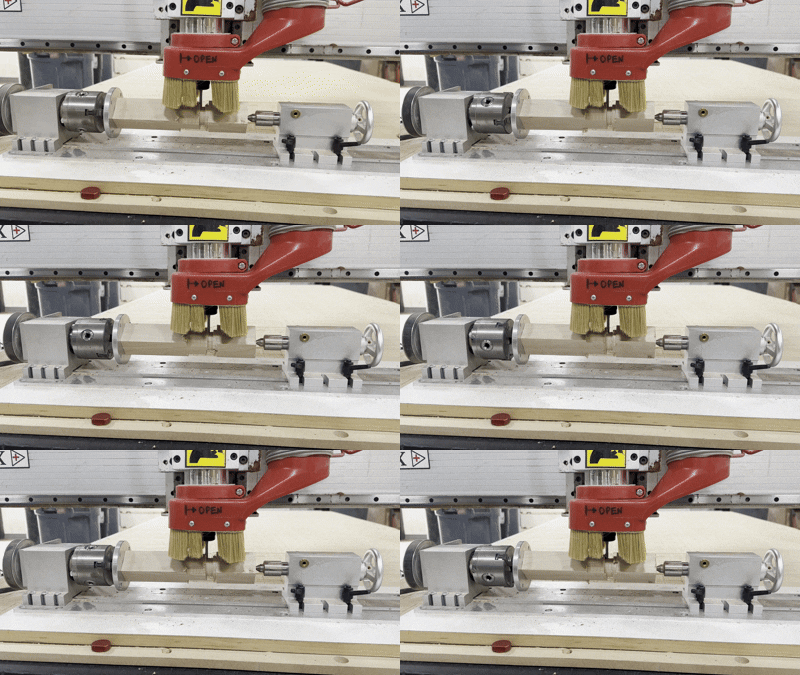
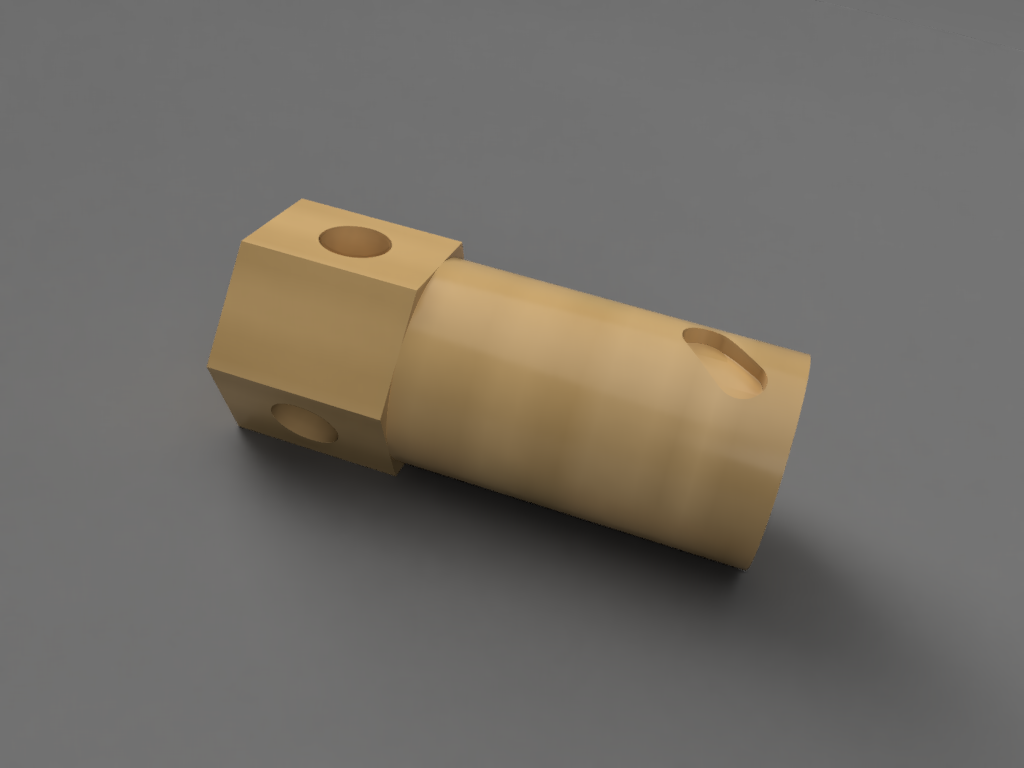
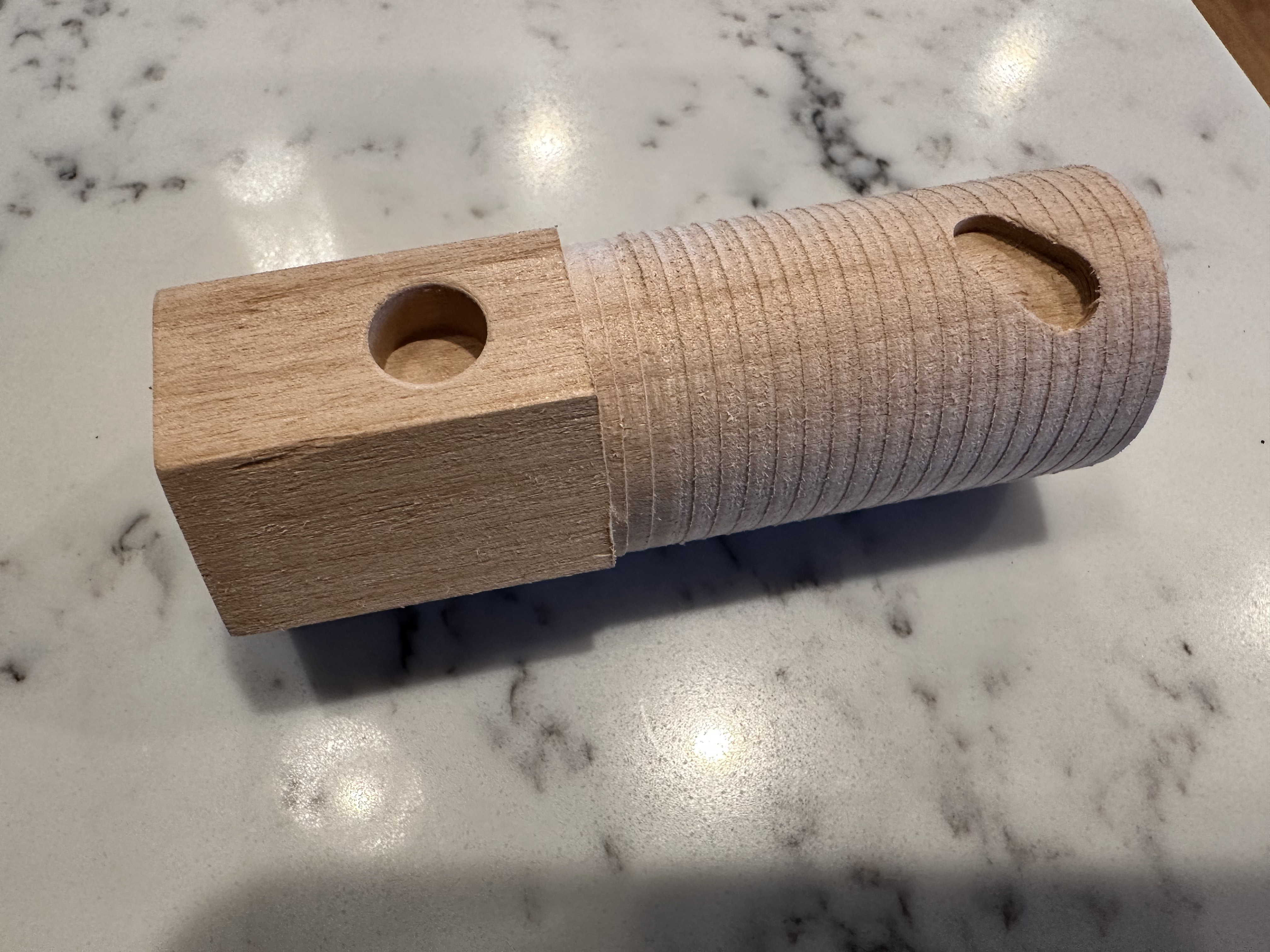
The toolpah pictured was “Rotary Parallel”, and it worked (matched the simulation at least).
I also tried creating a hexagon, using a circular pattern + pocket toolpath… that did not work…. more experimentation required.
Interestingly, you can do some 4th axis maching without the manufacturing extension, like the circular pattern I was trying to use for the hexagon. Rotary parallel requres the extension.
There is not a lot of Z height when using it on the table like this. With a bit installed, at max Z, it is not high enough to go over the rotary head.
We’re also missing a chuck key, if anyone knows where it is, let me know. Otherwise, it’s an 8mm square, and we can make one.
I also found that autodesk has a generic post for Laguna routers, which has rotary support. Could be interesting to try that one as well. It seems to have been fairly recently updated.
@atwatsoniii, The next time you’re on the machine and if you willing to have an observer, I’d like to stop by and see your efforts. P.S. Can you publish the GCode file if there is one, and /or explain a little more of the zip / cps file usage you link to above.
The cps file is the post processor. It is what generates machine specific G code. It is javascript. The one I am starting with is provided by Laguna for 4 axis use.
@pconklin2000 Feel free to share the changes I made. I cant say I really understand the changes all that much, I had AI debug the problem. I also don’t have any evidence that there are any more problems with the post processor.
I’ll be at the maker showcase from 11 am and stop by at a break or afterwards to say hello. Thanks for the gcode. I ran it through ncviewer to get a feel of what you were making.
I sent Al’s post to a Laguna tech I’ve been in touch with. His response is kinda what we expected. Here it is…
So it seems like the machine is working as it should. The use of the 4th axis is tricky and will take some R and D to get it going for your specific needs. The machine was purchased as a regular gantry; instead of a raised gantry, so the travel height will be limited. You can remove the spoil board from underneath the 4th axis, you can raise the dust hood up on the spindle and choke the router bit up as much as possible. These 3 things will give you a bit more room to work with. As far as software goes, that is the choice of the programmer and we cannot do more than give tips, which are limited to individual tech knowledge. If you feel that more assistance is needed, I would suggest outsourcing a programmer to get your specific questions answered. We do have someone we could get you in contact with at an hourly rate if your interested.
Thankyou,
Brent Dixon 469-674-7520 CNC Technician, Laguna Tools Inc. Brent_Dixon@LagunaTools.com 830a-5p CST**emphasized text
There are three different ways to utilize the 4th axis AFAICT:
Mutli-Axis menu. This requires the maching extension. I am using a “Rotary Parallel” toolpath to create the cylinder and also rough out the hex.
Rotary Pattern. Does not require the machining extension. This is basically an indexing operation, that I am using to machine the flat areas of the hex. Inside the rotary pattern, there is a 2D Face operation. You basically pick one face to machine using a 2D operation, and the rotary pattern duplicates it number of times you specify.
Wrapped 2D toolpath. Does not require the machining extension. This takes a normal 2D toolpath and wraps it around a cylinder. I am using this to machine the diagonal slot.
I have gotten these three types of toolpaths to mostly work. It has required some changes to be made in the post processor. I have been using AI to make the debug and make the changes.
I have found it tricky/frustrating to do the CAM programming. There are some areas, such as the seam between the cylinder and the hex, that I just haven’t been able to get fusion to machine.
I didn’t really machine the part sucessfully yet, but maybe the third time is the charm.
@atwatsoniii, the attached picture of your results looks great - so good that I almost think it’s AI generated - ha ha! Thanks for talking though your process with me this afternoon. Bri
Awesome, I saw you were in today on the big CNC for testing. If you want, I’d love to have you post the GCode here, because it would be helpful to understand what actual good code looks like.