This is my second time using Dorian, last time I got it to cut more or less how I wanted, this time it’s not cutting at all. I’ve focused, am using the same file, and have the chiller on etc. it just glides over my material (the same I used last time) without doing anything.
Are you sure the lid is fully closed?
The lid is completely closed and the laser is tracing my design but not cutting or engraving, I do see the ammeter gauge ticking
If the lid is closed, then it’s the aux power switch being off causing it.
Just walked past and it looked like you got it figured out.
It’s still not really working right, low power cuts aren’t going through
Debugging it, it won’t mark without power set to 30 and min set to 20
Checked it out after we spoke when you left. Looks like the z axis was set pretty low for the material you were using:
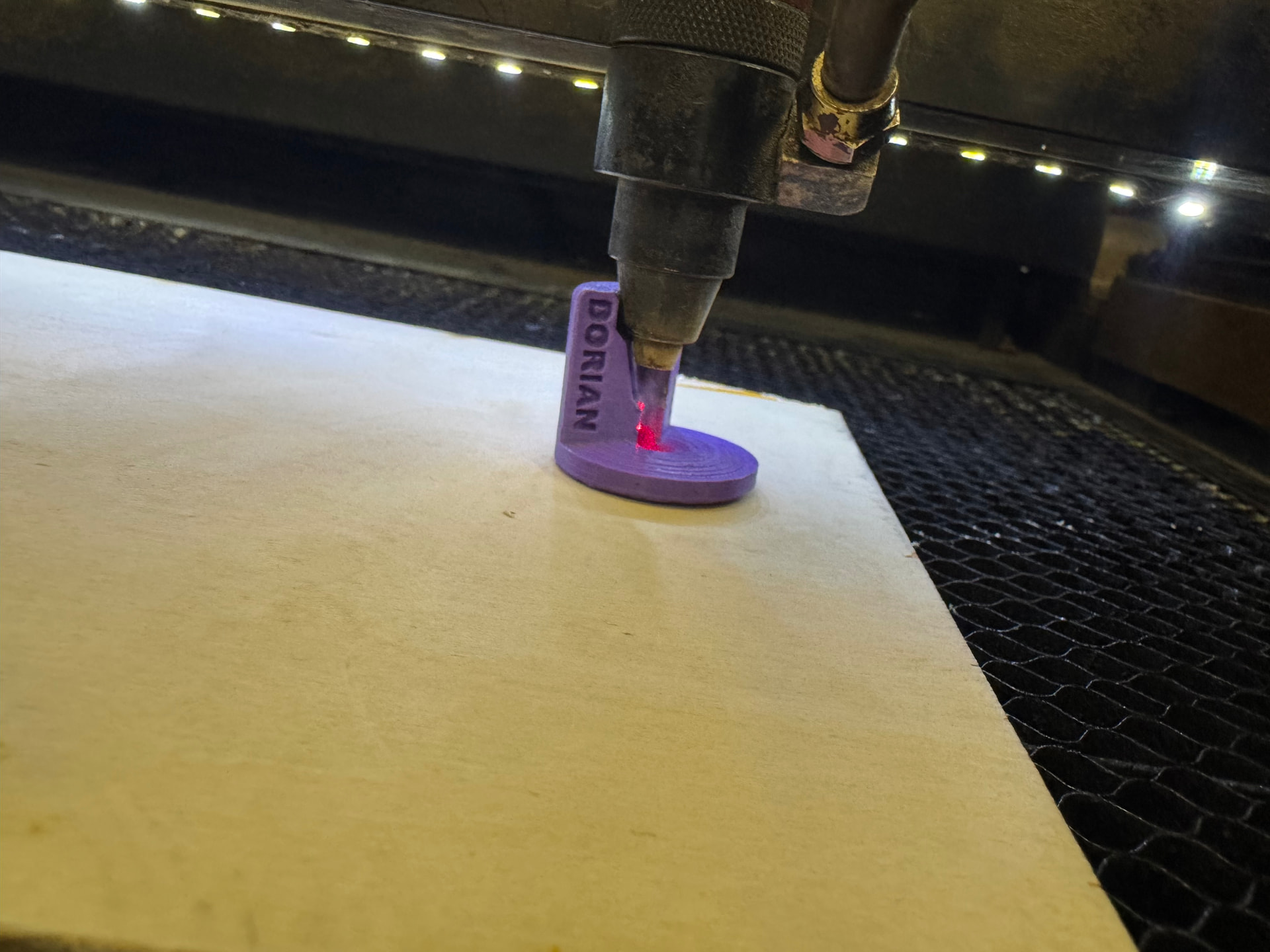
Here’s correct focus:
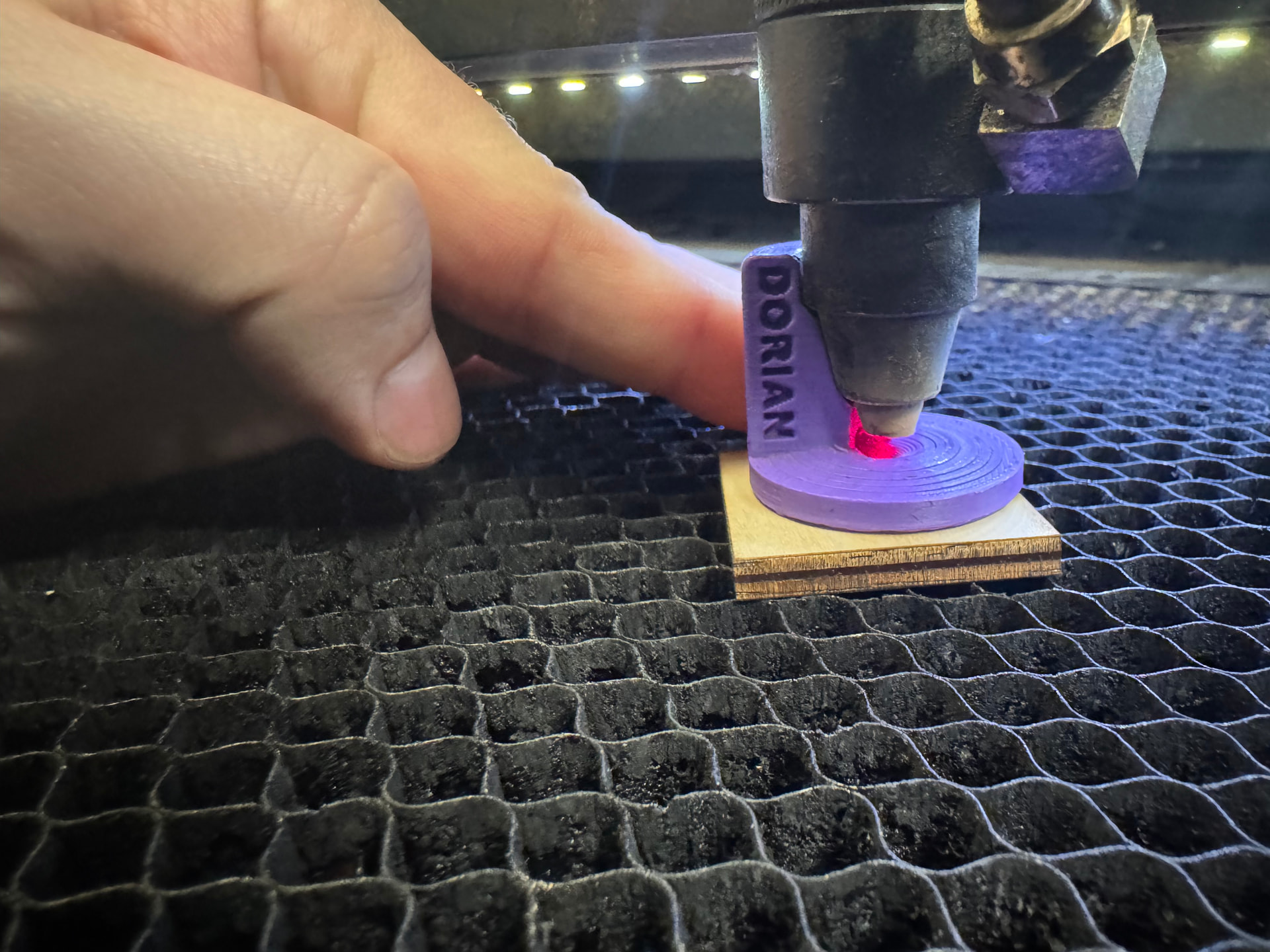
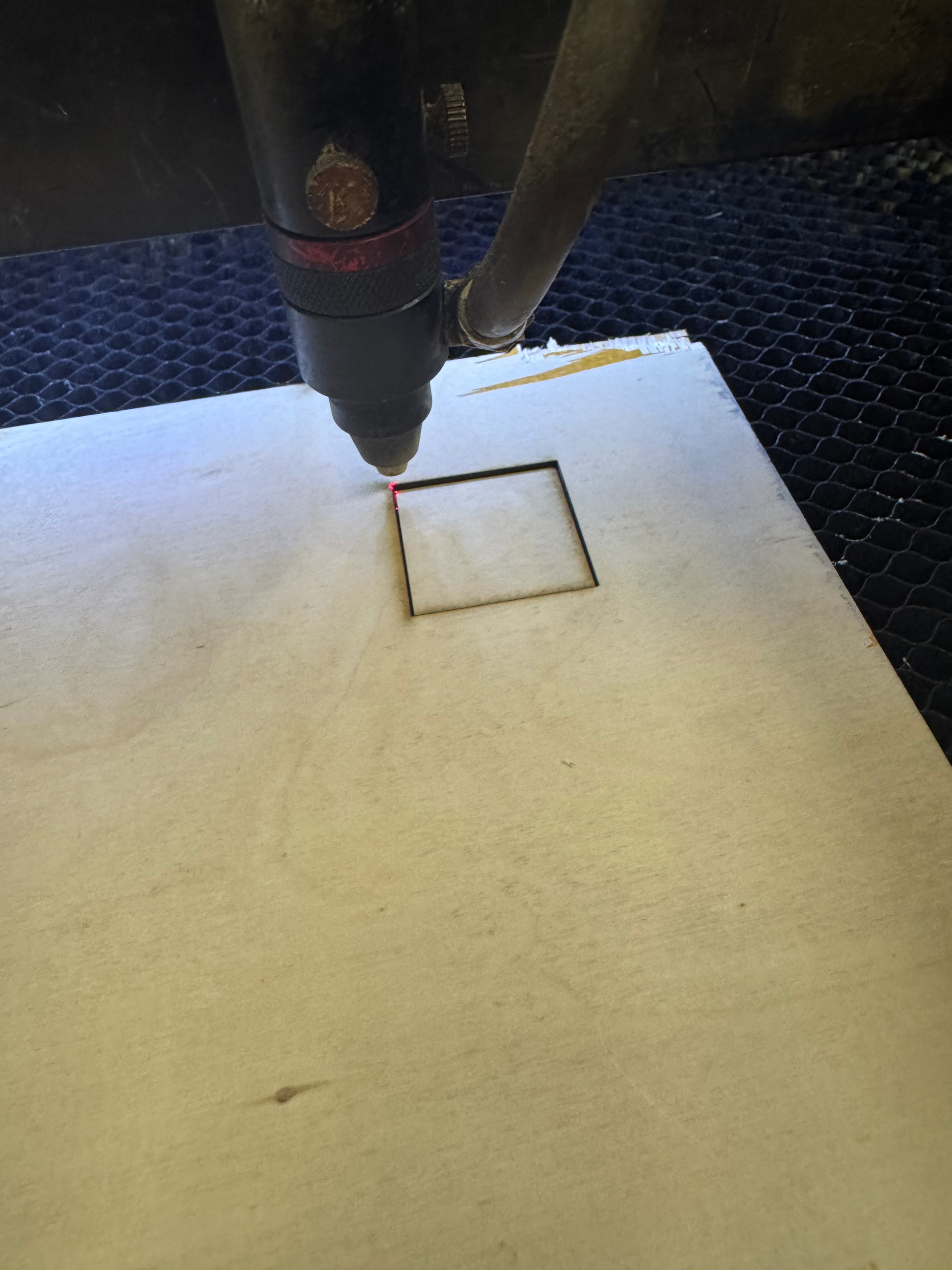
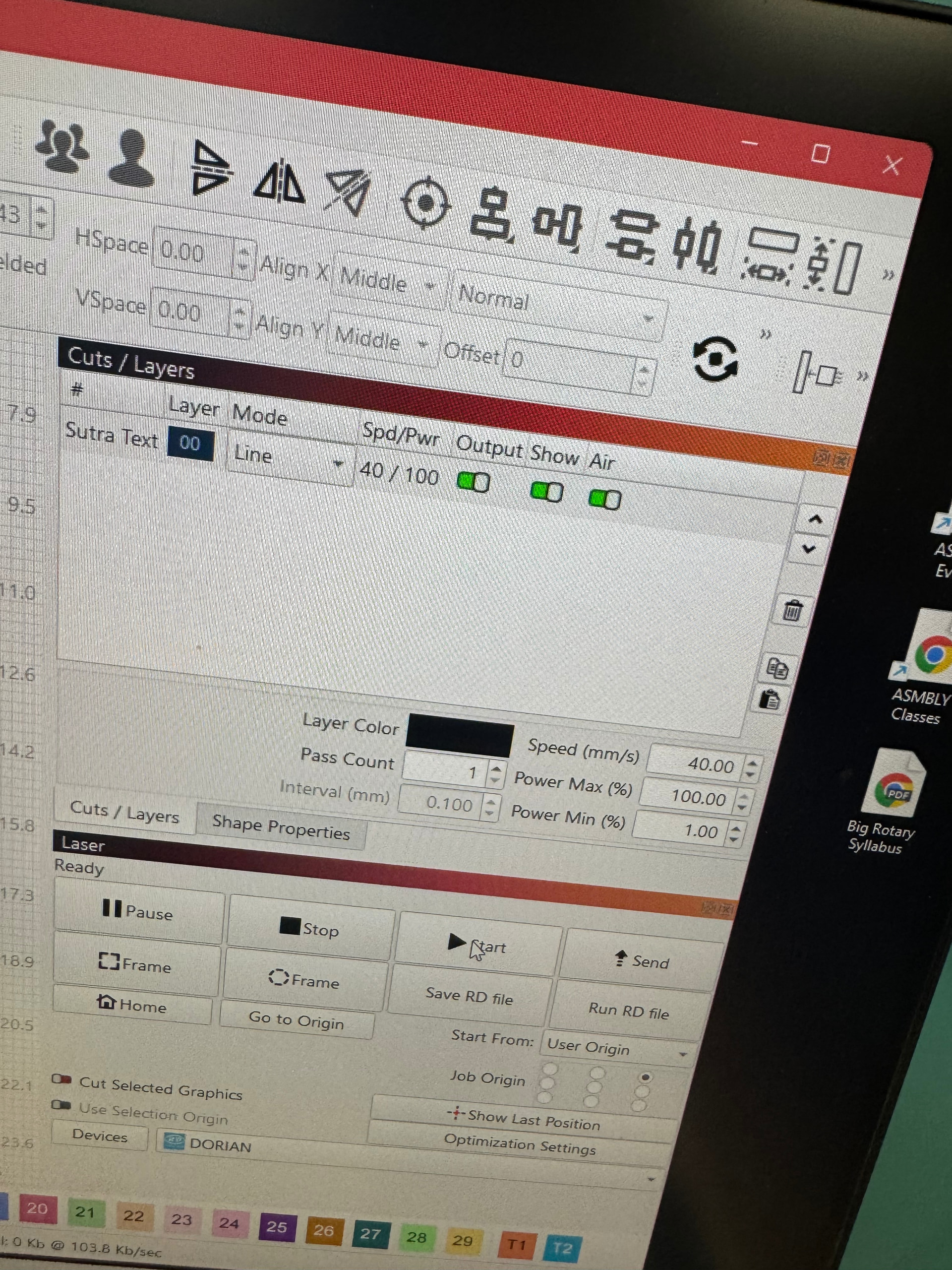
Was able to cut it out with one pass at 30mm/sec, 100% power once focused:
1 Like
If you want to cut the power should be 100%, vary the speed based on material but the power should be 100%
1 Like
Could it help to have a page made out with most common encountered problems of people using The lasers with the usual solutions. Like a shortcut on the computer. Or a trouble shooting table of common problems and a work around or fix suggestions. I think it would provide a better experience for people to have something at hand and be able to resolve “their problem.” maybe even include it in the class? Seems like often lately simple things keep popping out with solutions already covered. I’m glad they’re taking the time to ask and report it but If I was them, I much rather have something I can do now rather than loosing time asking around instead of working on my project.
1 Like
There are shortcuts on the computer to the pdf version of, as well as printed user guides (usually found in the class materials, or Dorian tools drawer). They could likely use a bit of a touch up/update (ie, the materials guide in there for Dorian isn’t super accurate after the tube change, etc), but are by and large correct. We could make them more visible and potentially edit the pc background to point out their existence though, as right now they’re just normal icons.
We’re in the process of updating the syllabus for these classes to be all-encompassing. That’ll soon be available as well for any members that want a full refresh on what they learned in the class/what has changed since they took it!
Sorry for the late reply, this was definitely a focusing issue! I’ve got the hang of it now and have made a lot of stuff without issues! Very appreciative of all of the help you provide! The photos were especially helpful.
1 Like