Problem Type: Equipment
Workspace: Lasers
Asset: Tarkin
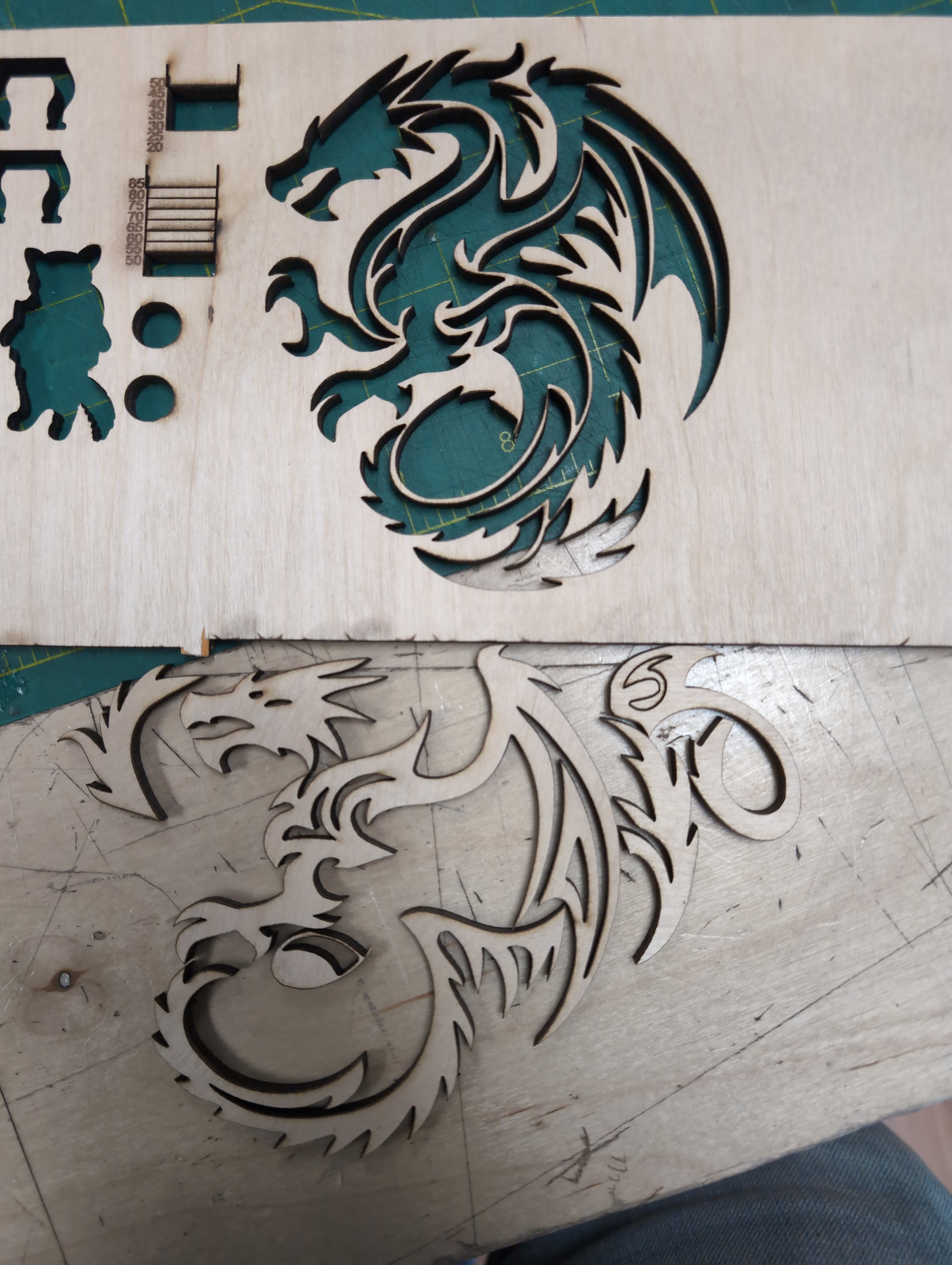
Summary: Laser head seems to have shifted during
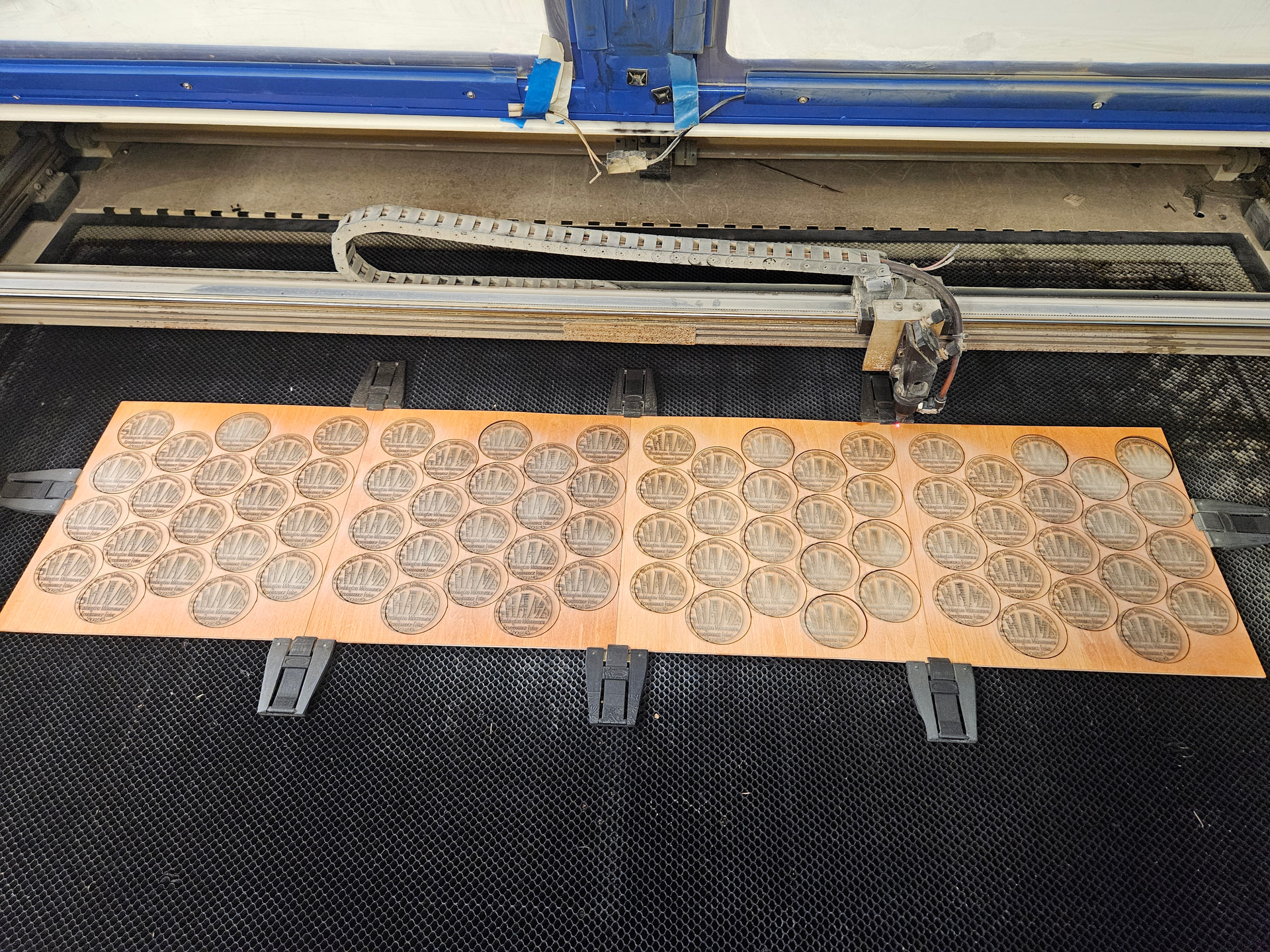
Additional Info: My wood panels were still clipped tight as before, no way the wood moved. Job ruined at 75% completion due to unexplained shift in laser head
Report generated from a filing. This report has also been sent to Asmbly staff, leadership, and space leads with any contact info that was provided. Provide additional photos or resources here to help. When the problem is resolved, ensure it is marked.
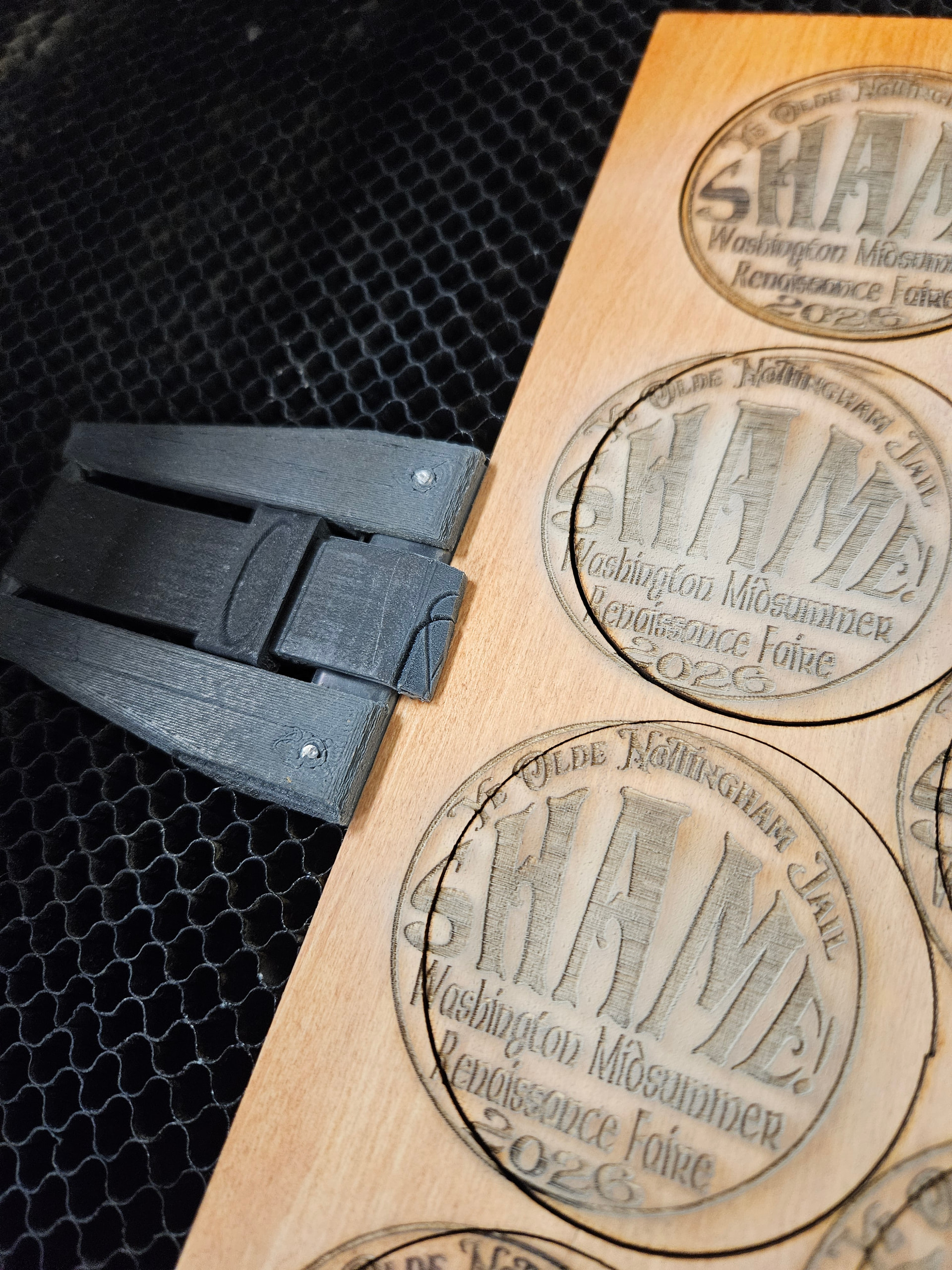
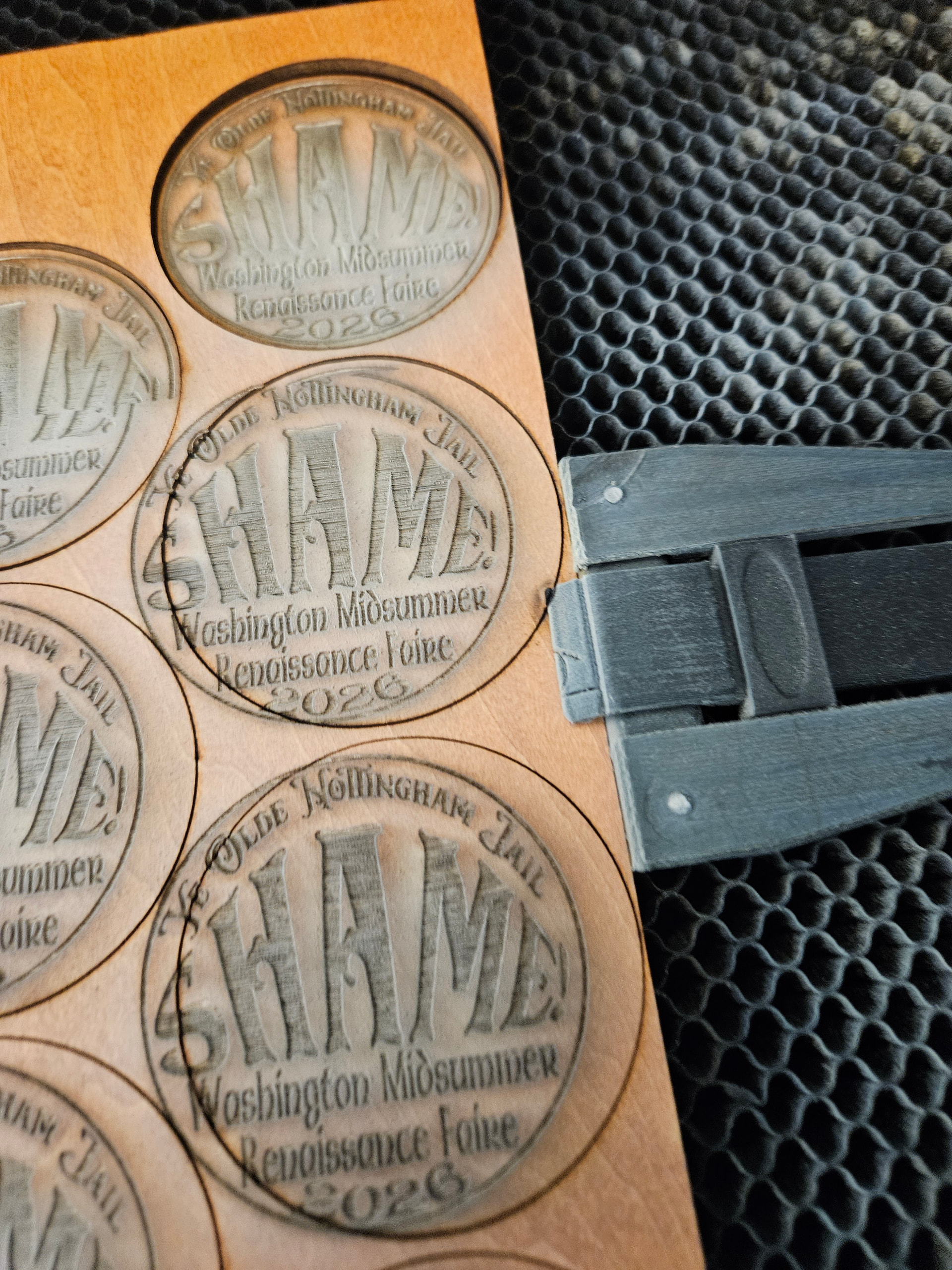
Well, what got my attention is the x-axis shift right here. It was rastering front to back as always, then glitched in one significant jump on the X-axis, then is not where it thinks it is. It kept going and rastered new circles with that one offset error, and then started cutting with that same glitch offset error which matches the badges rastered after the glitch but not before.
Tarkin’s got a closed-loop motor system which will either catch-up for a small error, or fault and stop entirely for a significant error. That adds a lot to performance and higher reliability.
In a open-loop system, jamming, drag, or motor probs can cause this, but those are ruled out for closed loop systems. It would have been detected and resulted in machine stop and that didn’t happen. If the drive just spontaneously reset itself- I’ve never heard of that happening, but it might do this, but I’d imagine a much larger offset. If that happened, it should have been detected as a fault and latched in on the system monitor which would stop the machine.
The closed loop feedback is on the motor shaft, so this would be indicative of a belt slip, or the pulley slipping. Belt slip tends to be a gradual creep and this wasn’t like that.
Pulley slip can be one big offset at once, but that raster uses the same max machine acceleration on every line, and there hundreds of lines here. So I would expect it to keep slipping over and over, but this is just one glitch.
It could be a glitch in the Ruida itself. Again, if the output line was going bad, I’d expect it to be glitching more than once. Could it be a firmware glitch from the large file? Well, as files go this doesn’t look particularly large. The memory on that Ruida has been filled with some pretty gigantic files recently though, and it may just need to be cleared. I have not seen a subtle glitch like this attributed to memory clutter before but it could be theoretically possible. A Ruida glitch is one thing the system monitor would not catch.
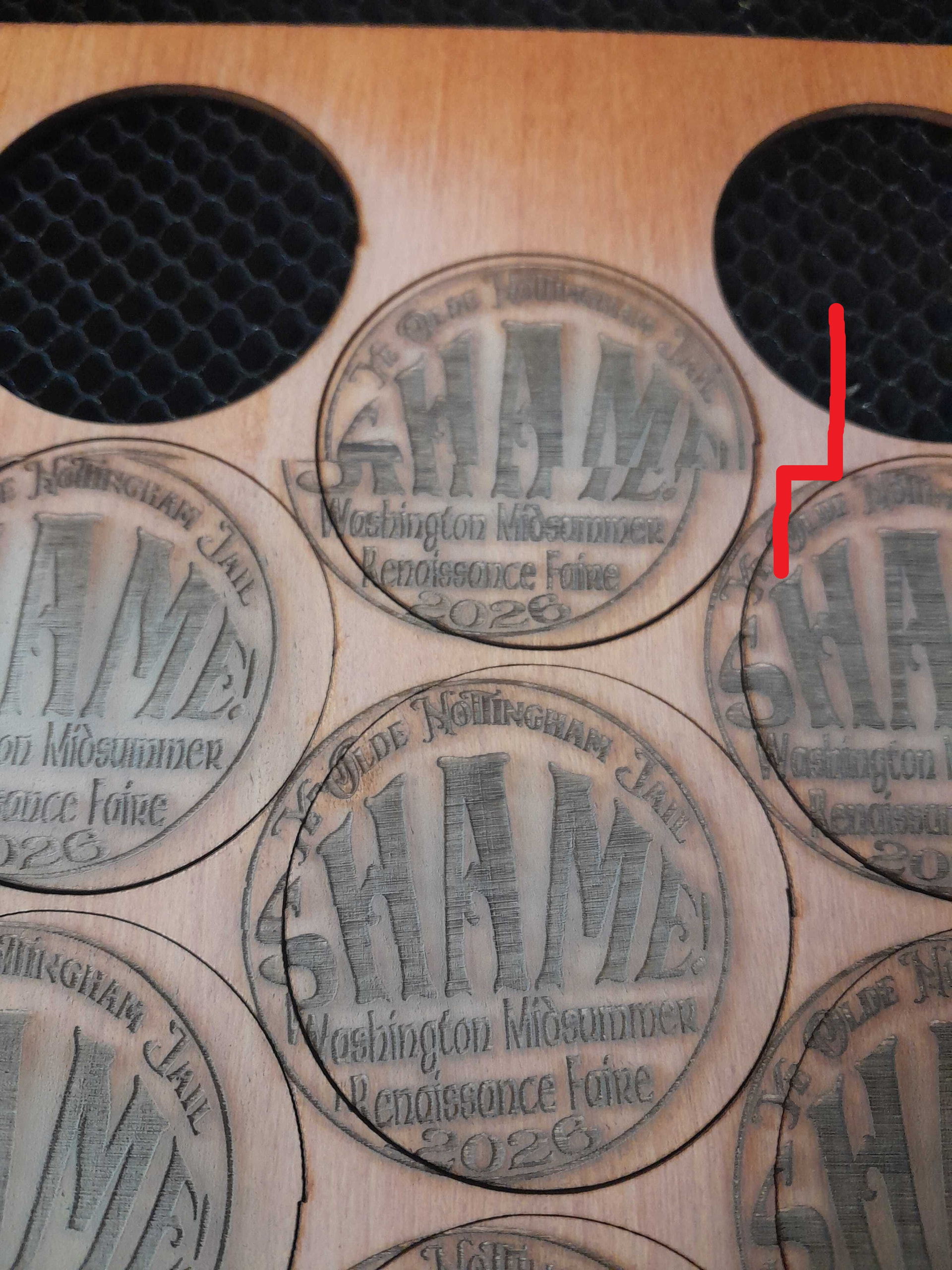
The misshapen circle youre showing in your photo is NOT on all of them. Some of them are closer to a perfect circle than others. These are complimentary souvenirs so im not super concerned about that minor issue, but some of them have that little notch and some do not, despite the design being copy pasted, so the plan is perfect circle on all. I left the materials on the machine so Nick could see it, since I was told he was on his way.
these all came from the same run. Notice the top right is notched badly. Top left only a little. Bottom not at all. They are all iddentical in the lightburn file
EDIT: Also of note, ive engraved this exact same file several times in the past few weeks with no issues until today
i tested as best i could. cuts 160mm/sec, raster 1000mm/s at high quality
motor and mechanical parts show no problem, and the closed loop motor system shouldn’t be able to pock up an offset and keep running.
i couldn’t reproduce anything unusual at all
thr first theory that the Ruida controller glitched seems the strongest. its memory was full of some very large files. i wiped the memory
it looks fine to use. if the problem reoccurs, I will certainly look again.