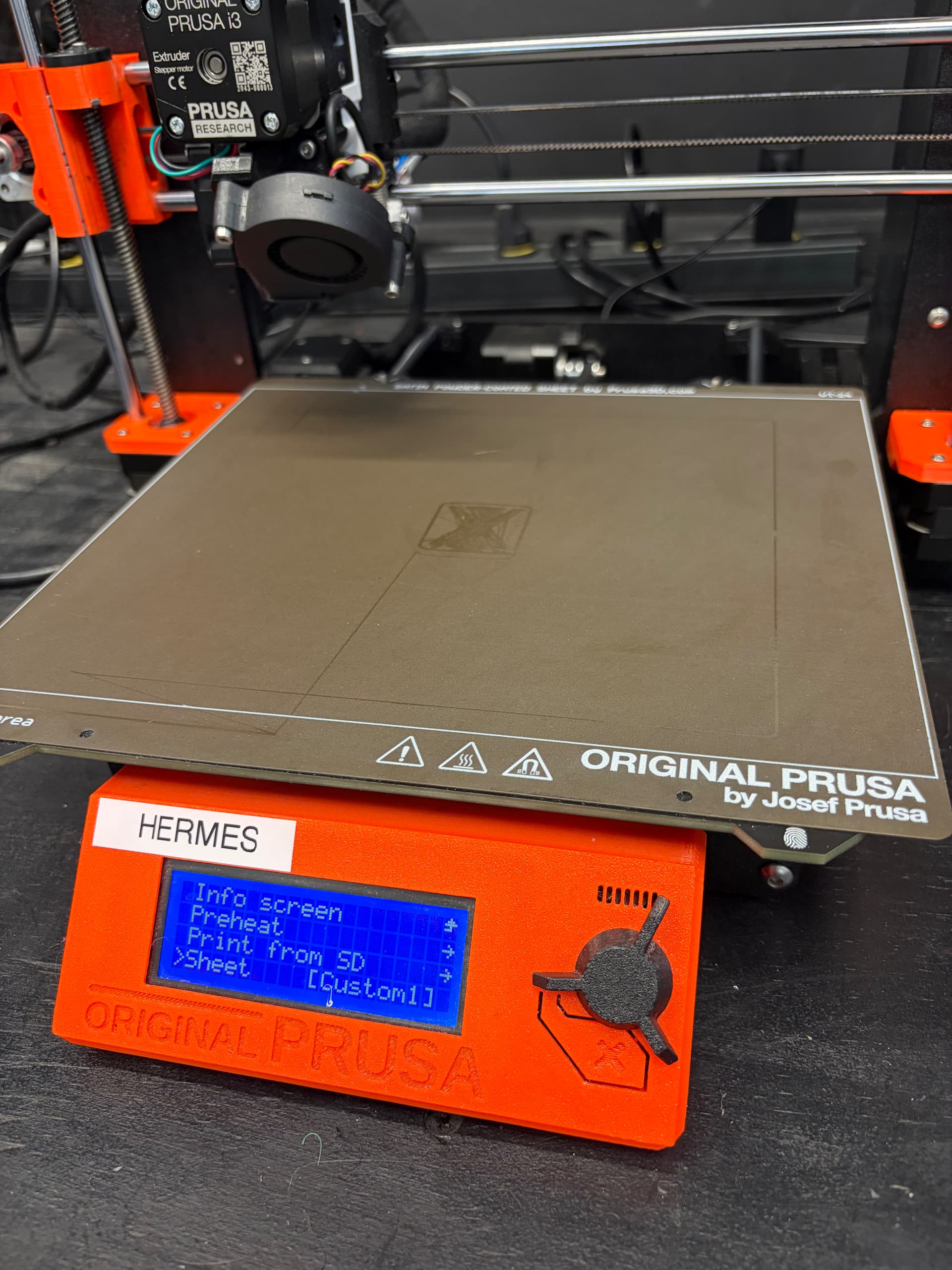
Issue type: Equipment Problem Area: 3D Printing Equipment: Prusa MK3S+ - Hermes Summary: Z height may need calibration Additional Info: I started a print and the extruder appears to have left marks on the print bed sheet as if it was dragging on it. The print appeared to not be working and just going over the same area and not raising the head so I canceled the print. I tried cleaning the sheet afterward but the drag marks remained on the sheet. I am not sure if the print bed sheet is ruined or still usable. I ran the exact same print job on Sunwukong and it printed correctly.
Report generated from a filing. This report has also been sent to Asmbly staff, leadership, and space leads with any contact info that was provided. Provide additional photos or resources here to help. When the problem is resolved, ensure it is marked.
When I looked at the printer, I noticed that it was set for sheet Custom1, the sheet that was actually on the printer was a Satin sheet. The z height setting for Custom1 was way too low for Satin1, so the nozzle was grinding filament into the sheet, rather than actually printing it.
Different sheets have different calibrations, and the Satin ones are the only ones that the stewards generally calibrate. When people want to use a different sheet (eg. because they’re printing something that has adhesion problems on the Satin sheet or because they want a different texture on your first layer), it’s their responsibility to calibrate the sheet themselves. It is polite to re-set the printer to Satin when you remove your special sheet, but sometimes people forget.
I’ve set Hermes back to Satin1, and done a calibration print. I’m going to do a print to clean up the center of the sheet.