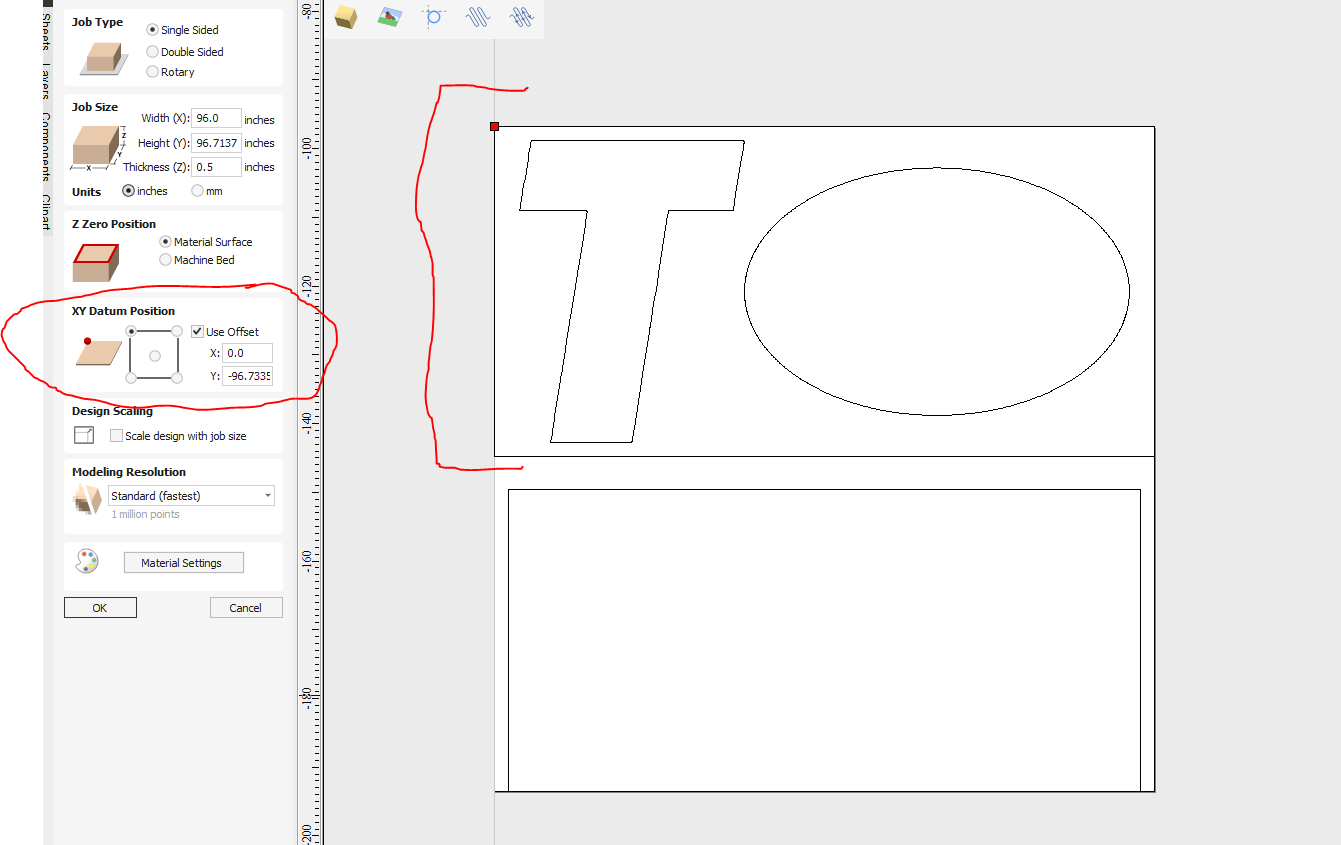
Cutting my first job on the Laguna CNC this evening. I received this oversized DXF from someone. To place the drawing i need on the sheet I changed the datum and then will change the Height (Y) to 48’'. Is this ok?
Another noob question how do I make the sure the x and y is properly oriented in the toolpath for the cnc?
Hi George, under job size, set the Width (X) to 48 and the Height (Y) to 96, assuming you’re cutting on a 4’x8’ sheet of plywood. Then you can rotate your art 90° to fit on this setup.
For the XY Datum Position, I recommend the bottom left corner. This is the corner closest to the control cabinet, where the carriage homes to. On the pendant, set your X/Y zero to this bottom left corner of your material once you position it on the bed.
Make sure the thickness (and depth of your toolpaths) matches your material, measured with calipers. 1/2” plywood is rarely 0.50” inches.
If you set your Z Zero Position to the Material Surface, place the puck (or do the paper catch method) on top of your material when setting the tool height. If you set Z Zero to Machine Bed, the puck (or the paper) will be on the spoilboard.